
Jay's Engineering Journal
- Thread starter jayman38
- Start date




- Joined
- Jul 13, 2014
- Messages
- 2,517
- Reaction score
- 787



You got that right!
The main cargo bay is now enclosed behind the forward docking point. Some parts are better than expected, some are worse. It's all-around a satisfying resolution. The actual docking bay is as good as I had hoped.
In my design and drawing phases, I keep forgetting that I have to maintain the docking area integrity for turrets, so I can't just wrap a hallway/walking ramp all the way around the cargo bay.
Therefore, I had to create a rather organic-looking "cave" walkway that meanders down, squeezing between the cargo bay wall and the ship's outer hull. Just like with a real cave, it's too dark in places. I might be able to correct that with an awkward light block or two in the floor. It's a tight fit, and a lot of the 1-block-thick shield block layer under the hull had to be removed. This left parts of that hallway between the forward doors and the bottom of the cargo bay exposed directly to the raw outer hull of the forward nose of the ship. I used angle blocks in the hallway where the outer hull blocks were, so you'll still have to destroy a minimum of two blocks to gain entry to the hallway. Still...
One good weapon hit, or one meteroid impact and anyone in that hallway is going to be left sucking vacuum.
However, even with this odd hallway, I figure I did alright considering the space limitations, and I still had a door-terminated entry to the bottom of the cargo bay in this hallway, so that's usable by astronauts to get where they need to go. Ironically, there really isn't an access door for astronauts to get in and out of the top/forward edge of the cargo bay. I think that's fine, because I also don't have any gravity controls up there, and the cargo will be attached to the floor, not the ceiling. The ceiling consists of the main cargo bay doors facing the front of the ship.
Reminder: The floor is typically toward the rear of the ship, and ceilings are toward the nose.
The cave-hall is terminated with an airlock with its own ramping floor, located immediately beneath the double-block-thick floor of the cargo bay, right where it needed to be. I talk about it like it's a single hallway, but due to symmetry building, there is an identical mirrored cave-hall on the other side of the nose with all the same limitations and features.
The main cargo bay is now enclosed behind the forward docking point. Some parts are better than expected, some are worse. It's all-around a satisfying resolution. The actual docking bay is as good as I had hoped.
In my design and drawing phases, I keep forgetting that I have to maintain the docking area integrity for turrets, so I can't just wrap a hallway/walking ramp all the way around the cargo bay.
Therefore, I had to create a rather organic-looking "cave" walkway that meanders down, squeezing between the cargo bay wall and the ship's outer hull. Just like with a real cave, it's too dark in places. I might be able to correct that with an awkward light block or two in the floor. It's a tight fit, and a lot of the 1-block-thick shield block layer under the hull had to be removed. This left parts of that hallway between the forward doors and the bottom of the cargo bay exposed directly to the raw outer hull of the forward nose of the ship. I used angle blocks in the hallway where the outer hull blocks were, so you'll still have to destroy a minimum of two blocks to gain entry to the hallway. Still...
One good weapon hit, or one meteroid impact and anyone in that hallway is going to be left sucking vacuum.
However, even with this odd hallway, I figure I did alright considering the space limitations, and I still had a door-terminated entry to the bottom of the cargo bay in this hallway, so that's usable by astronauts to get where they need to go. Ironically, there really isn't an access door for astronauts to get in and out of the top/forward edge of the cargo bay. I think that's fine, because I also don't have any gravity controls up there, and the cargo will be attached to the floor, not the ceiling. The ceiling consists of the main cargo bay doors facing the front of the ship.
Reminder: The floor is typically toward the rear of the ship, and ceilings are toward the nose.
The cave-hall is terminated with an airlock with its own ramping floor, located immediately beneath the double-block-thick floor of the cargo bay, right where it needed to be. I talk about it like it's a single hallway, but due to symmetry building, there is an identical mirrored cave-hall on the other side of the nose with all the same limitations and features.
- Joined
- Jul 13, 2014
- Messages
- 2,517
- Reaction score
- 787
Long overdue pictures!More pictures requir'd. That is all.
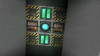
Engineering floor (bottom-most internal level):
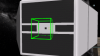
Nosecone with prominent twin 25x10 cargo doors (The nose docking point has not yet been enhanced):
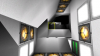
Inside the cargo bay (up is forward, where the twin cargo doors serve as the roof):

On that last picture, the post in the middle reaches all the way up, structurally supporting the nose docking point.
This last picture illustrates the awkward cavehall next to the cargo bay that leads up to the smaller doors on the nose cone.
I'm not sure our reluctant hero, Dave, will be able to comfortably slip through those tight spaces when he has to work near the nose tip. It will probably be easier to spacewalk through the main cargo doors.
- Joined
- Jul 13, 2014
- Messages
- 2,517
- Reaction score
- 787
I think I have almost finished building the internal astronaut walkways in the Clarke. I did a quick walk-up for testing, and found some rogue lights left over in the rearward gravity ring cavity, left behind when checking the geometry. I also found a rogue 3x4 panel of grey hull blocking a walkway. I went into build mode and removed the offending blocks. I'll try the climb up again later this week, to make sure the walkways are complete. The lesson to be learned is to test the astronaut-accessible areas to look for problems after you think that construction is complete, just in case it isn't. It's also good for checking the looks of a build, and for checking that it simply makes sense.
Once I verify all the walkways, it will be time to move on to docking enhancers, maybe a few salvaging systems near the nose, and a scanner array. I will probably need to throw in some additional thrusters, to ensure the ship maintains a 1:1 thrust/mass ratio at completion.
Fun fact: The Clarke is nearly 200m long, and the walkways begin with the central core in the floor of the bottom walkways. That means that it's nearly 100m to the nose of the ship - that's roughly 20 large-building floors. Related fun fact: in the movie "The Ghostbusters", after having already climbed the staircases of approximately 16 floors of a New York City highrise, Peter Venkman asked someone to tell him when they reached the 20th floor. He was going to throw up then.

Once I verify all the walkways, it will be time to move on to docking enhancers, maybe a few salvaging systems near the nose, and a scanner array. I will probably need to throw in some additional thrusters, to ensure the ship maintains a 1:1 thrust/mass ratio at completion.
Fun fact: The Clarke is nearly 200m long, and the walkways begin with the central core in the floor of the bottom walkways. That means that it's nearly 100m to the nose of the ship - that's roughly 20 large-building floors. Related fun fact: in the movie "The Ghostbusters", after having already climbed the staircases of approximately 16 floors of a New York City highrise, Peter Venkman asked someone to tell him when they reached the 20th floor. He was going to throw up then.

- Joined
- Jul 13, 2014
- Messages
- 2,517
- Reaction score
- 787
I successfully climbed from the engineering floor all the way to the nose of the ship without running into a blockage. I probably should have taken some snapshots along the way.
Just as I thought the climb was getting boring, I'd find something interesting to break up the monotony, whether it was an elevator door, an external door, a door to one of the gravity rings, or the forward cargo bay.
I had activated the downward gravity for the walk, which points to the rear of the ship, to accommodate the upward exploratory walk, and it was a whole lot of fun to reach the nose, run to the edge, down the nose slope, and leaping off the edge into space.
I had hoped to get more done, earlier in the week, but sometimes, you just have to have a little fun.
Just as I thought the climb was getting boring, I'd find something interesting to break up the monotony, whether it was an elevator door, an external door, a door to one of the gravity rings, or the forward cargo bay.
I had activated the downward gravity for the walk, which points to the rear of the ship, to accommodate the upward exploratory walk, and it was a whole lot of fun to reach the nose, run to the edge, down the nose slope, and leaping off the edge into space.
I had hoped to get more done, earlier in the week, but sometimes, you just have to have a little fun.
- Joined
- Jul 13, 2014
- Messages
- 2,517
- Reaction score
- 787
The nose dock is now done, complete with docking enhancers. The dock area is significantly larger than the ship, to accommodate many different types of docking ships.

One can barely make out any details at all. Starting from back to front:
1. Reactor block. Even from this distance, you can see the radioactivity symbol in the hull of the reactor block at the end of the ship. The only thing aft of this is a basic radiation shield (smaller than the shield between the reactor block and the rest of the ship foreward) and a small sliver visible of the engine nozzle behind that.
2. Fore of the forward radiation shield are tiny docks for 7x6x7 micro-meteoroid/missile defense point defense turrets. The turrets are not yet in place.
3. The glowing red tip of the radiator fin on the side of the ship. The is a twin on the other side, and indeed there are two more, in the top and bottom fin areas. The radiator fins are protected by larger white reflective armor fins. You do not want to lose the ability to radiate heat in space.
4. At the main bulge of the ship, near the nose, you can see the side flightdeck door, flanked fore and aft by lights. The cross-shaped flightdeck inside is very small, only capable of accommodating small shuttles. The docking systems that will go inside are not yet in place.
5. In addition to the new docking system in the nose, one can see the forward twin over-and-under 25x10 cargo bay doors at the nose tip.
Just a quick refresher on why would want to have a nose dock, as far away from the engine as possible:
http://www.projectrho.com/public_html/rocket/radiation.php
One can barely make out any details at all. Starting from back to front:
1. Reactor block. Even from this distance, you can see the radioactivity symbol in the hull of the reactor block at the end of the ship. The only thing aft of this is a basic radiation shield (smaller than the shield between the reactor block and the rest of the ship foreward) and a small sliver visible of the engine nozzle behind that.
2. Fore of the forward radiation shield are tiny docks for 7x6x7 micro-meteoroid/missile defense point defense turrets. The turrets are not yet in place.
3. The glowing red tip of the radiator fin on the side of the ship. The is a twin on the other side, and indeed there are two more, in the top and bottom fin areas. The radiator fins are protected by larger white reflective armor fins. You do not want to lose the ability to radiate heat in space.
4. At the main bulge of the ship, near the nose, you can see the side flightdeck door, flanked fore and aft by lights. The cross-shaped flightdeck inside is very small, only capable of accommodating small shuttles. The docking systems that will go inside are not yet in place.
5. In addition to the new docking system in the nose, one can see the forward twin over-and-under 25x10 cargo bay doors at the nose tip.
Just a quick refresher on why would want to have a nose dock, as far away from the engine as possible:
http://www.projectrho.com/public_html/rocket/radiation.php
- Joined
- Jul 13, 2014
- Messages
- 2,517
- Reaction score
- 787
Life is conspiring to keep me away from StarMade.
Recent changes, namely boosts to defense and nerfs to penetration effects, have probably made my best-to-date release, the Theatrical, a much more survivable ship. It is heavily armored. When I was building that ship, I was thinking of putting in more shields, but had a definite design plan for thick armor. (middle tier armor blocks, not advanced armor) Now the front should mostly survive an initial hit from most non-missile weapons before internal systems start feeling a major damage effect.
http://starmadedock.net/content/project-theatrical.1525/
My two most recent suggestion threads have been soundly shot down by the community. I do believe I have lost touch with the overall community. Too bad. With that in mind, I won't bother applying for the Community Council. I need to simplify my time and not spread myself out too thin anyway, so it's for the best.
Recent changes, namely boosts to defense and nerfs to penetration effects, have probably made my best-to-date release, the Theatrical, a much more survivable ship. It is heavily armored. When I was building that ship, I was thinking of putting in more shields, but had a definite design plan for thick armor. (middle tier armor blocks, not advanced armor) Now the front should mostly survive an initial hit from most non-missile weapons before internal systems start feeling a major damage effect.
http://starmadedock.net/content/project-theatrical.1525/
My two most recent suggestion threads have been soundly shot down by the community. I do believe I have lost touch with the overall community. Too bad. With that in mind, I won't bother applying for the Community Council. I need to simplify my time and not spread myself out too thin anyway, so it's for the best.
- Joined
- Jul 13, 2014
- Messages
- 2,517
- Reaction score
- 787
OK, so I did a bad thing and asked for a vote on the council.
I also made some quick updates to the Clarke. In addition to some pure-RP unarmed, unshielded blue water tanks (which, while adding a certain civilian appeal to the ship, should each be promptly removed, scrapped, and replaced with actual turrets) on the sides near the lateral outer doors, I also installed 12 PD turrets (puny ones) near the main reactor radiation shield area. Formerly, these spots were empty 7x7x7 turret docking spaces. I think the turrets look good, and add a lot of needed detail to the ship. In the screenshot below, not only do you see the turrets in the center, but also you can get a much closer look at the reactor cube's radioactivity sign behind the main radiation shield.

I was originally planning to add water tanks in the main cargo docking area in the nose. Strangely, as well-planned as the project was, I found I cannot dock a ship sideways, with the bottom facing backwards. I wonder why that doesn't work. The docking areas are 25x9x9, and the water tanks were only 9x8x19. Ah, well. It's probably better empty.
Internally, I decided to reduce the length of light block groups. Generally, they will be limited to 2 or 3 in a row. In most places, the separator is a system block that simulates a gas vent for air handling. Or maybe they look like storage lockers. Or maybe shutters for windows that look out into a charming vista. But I mean them to look like air handlers, while very slightly adding to the ship's basic capability.
I was hoping to add more to this simple exploratory ship, but simply ran out of time by the time I got all the internal lights updated.
I also made some quick updates to the Clarke. In addition to some pure-RP unarmed, unshielded blue water tanks (which, while adding a certain civilian appeal to the ship, should each be promptly removed, scrapped, and replaced with actual turrets) on the sides near the lateral outer doors, I also installed 12 PD turrets (puny ones) near the main reactor radiation shield area. Formerly, these spots were empty 7x7x7 turret docking spaces. I think the turrets look good, and add a lot of needed detail to the ship. In the screenshot below, not only do you see the turrets in the center, but also you can get a much closer look at the reactor cube's radioactivity sign behind the main radiation shield.
I was originally planning to add water tanks in the main cargo docking area in the nose. Strangely, as well-planned as the project was, I found I cannot dock a ship sideways, with the bottom facing backwards. I wonder why that doesn't work. The docking areas are 25x9x9, and the water tanks were only 9x8x19. Ah, well. It's probably better empty.
Internally, I decided to reduce the length of light block groups. Generally, they will be limited to 2 or 3 in a row. In most places, the separator is a system block that simulates a gas vent for air handling. Or maybe they look like storage lockers. Or maybe shutters for windows that look out into a charming vista. But I mean them to look like air handlers, while very slightly adding to the ship's basic capability.
I was hoping to add more to this simple exploratory ship, but simply ran out of time by the time I got all the internal lights updated.
- Joined
- Jul 13, 2014
- Messages
- 2,517
- Reaction score
- 787
The Clarke was horrifically mangled in a block-loading accident. Fortunately, I waited about a week to inspect it again, and the auto-block loaders repaired the ship and even reattached floating PD turrets. What a relief!
Blue Water Tanks now attached to the Clarke just forward of the PD turrets:
I added four small, basic missile systems (torpedo tubes) to the Clarke, with 100% beam slaves for lock-on attack ability, with the key requirement that each one be able to damage a Faction block. The only other weapon system on the Clarke cannot damage a Faction block, due to the faction block's 99% armor rating.
Each weapon system uses approximately 1 million energy per shot (1 million energy per 1-second nose cannon array burst), equal to the per-second 1 million energy generation of the core ship. I'm designing each turret to generate its own power, so the ship should maintain a full tank of energy, regardless of it's active function. Full thrust might push energy use over the current limit of energy production, so it can either run or shoot indefinitely, but not both at once.
I adjusted two small features: I embedded the red lights one block deeper in the black radiator fins to make the radiator glow slightly less intense. There are also some observation rooms on the back of the nose bulge of the ship. I replaced the glass windows with black crystal armor to match the black crystal armor covering the red radiator glow, so that the ship blueprint would require one less type of block. The visual change is negligible. The windows are now white/grey instead of pale blue.
Blue Water Tanks now attached to the Clarke just forward of the PD turrets:
I added four small, basic missile systems (torpedo tubes) to the Clarke, with 100% beam slaves for lock-on attack ability, with the key requirement that each one be able to damage a Faction block. The only other weapon system on the Clarke cannot damage a Faction block, due to the faction block's 99% armor rating.
Each weapon system uses approximately 1 million energy per shot (1 million energy per 1-second nose cannon array burst), equal to the per-second 1 million energy generation of the core ship. I'm designing each turret to generate its own power, so the ship should maintain a full tank of energy, regardless of it's active function. Full thrust might push energy use over the current limit of energy production, so it can either run or shoot indefinitely, but not both at once.
I adjusted two small features: I embedded the red lights one block deeper in the black radiator fins to make the radiator glow slightly less intense. There are also some observation rooms on the back of the nose bulge of the ship. I replaced the glass windows with black crystal armor to match the black crystal armor covering the red radiator glow, so that the ship blueprint would require one less type of block. The visual change is negligible. The windows are now white/grey instead of pale blue.
- Joined
- Jul 13, 2014
- Messages
- 2,517
- Reaction score
- 787
With the external hull complete, visual changes are few and far between. Most changes are to utility block groups between the internal astronaut space and the outer hull. The shield rating is now up near 4 million. Thrust mass rating is getting too close to a 1:1. Looking for internal spaces to fit more thrusters. Two new utility rooms have been built out in the forward bulge of the ship, extending out beyond a ramp platform, to give buyers some room to put their own room types or to have a pair of matching twin utility rooms.
Missile launch test:
The missiles are not colored, and that's fine by me. I consider them actual missiles, not red or orange photon torpedoes or something similar.
All 8 turret docking areas on the forward ship bulge are complete. I have started, but not yet completed, adding the full-size "Milkdrop" turrets to the rear of the forward bulge, for main attack/defense engagement. At least two of the four rapid-fire outputs can damage a faction block with 99% armor rating.
Milkdrop turret:
The milkdrop turret fits very loosely in the docking area, being either too small or too far away from the inner corner to look tightly-integrated with the rest of the ship. However, this may lead to slightly-improved firing angles.
The turrets were designed with a shape that would allow them to fit in the larger turret docking areas without being exposed to direct radiation from the primary nuclear core at the back of the ship. (The core is considered contained in the large cube just aft of the large radiation shield plate, and has a large, blocky radiation symbol on all four exposed sides.)
Full Milkdrop turret view towards the radiation shield
This shows the angle from the edge of the turret to the radiation shield. There should be enough radiation shielding to prevent the turret from suffering metal fatigue caused by neutron embrittlement, the source of the radiation being the primary nuclear core just beyond the radiation shield.
Cited:
http://www.projectrho.com/public_html/rocket/radiation.php
What's the plan regarding the new rail release of the game? I am going to release the Clarke as soon as possible, with a continued focus on an older, pre-rail version of the game.
Once that is released, I plan to return to my earliest ships and rebuild from scratch to create new versions with much nicer rail sliders and rotors, leaving behind plex doors and improving the RP factor. The first rebuild should be my improved Aluminum Mallard. The re-built ships will probably be even weaker than the originals I have released so far, but with better moving parts.
Missile launch test:
The missiles are not colored, and that's fine by me. I consider them actual missiles, not red or orange photon torpedoes or something similar.
All 8 turret docking areas on the forward ship bulge are complete. I have started, but not yet completed, adding the full-size "Milkdrop" turrets to the rear of the forward bulge, for main attack/defense engagement. At least two of the four rapid-fire outputs can damage a faction block with 99% armor rating.
Milkdrop turret:
The milkdrop turret fits very loosely in the docking area, being either too small or too far away from the inner corner to look tightly-integrated with the rest of the ship. However, this may lead to slightly-improved firing angles.
The turrets were designed with a shape that would allow them to fit in the larger turret docking areas without being exposed to direct radiation from the primary nuclear core at the back of the ship. (The core is considered contained in the large cube just aft of the large radiation shield plate, and has a large, blocky radiation symbol on all four exposed sides.)
Full Milkdrop turret view towards the radiation shield
This shows the angle from the edge of the turret to the radiation shield. There should be enough radiation shielding to prevent the turret from suffering metal fatigue caused by neutron embrittlement, the source of the radiation being the primary nuclear core just beyond the radiation shield.
Cited:
http://www.projectrho.com/public_html/rocket/radiation.php
What's the plan regarding the new rail release of the game? I am going to release the Clarke as soon as possible, with a continued focus on an older, pre-rail version of the game.
Once that is released, I plan to return to my earliest ships and rebuild from scratch to create new versions with much nicer rail sliders and rotors, leaving behind plex doors and improving the RP factor. The first rebuild should be my improved Aluminum Mallard. The re-built ships will probably be even weaker than the originals I have released so far, but with better moving parts.
- Joined
- Jul 13, 2014
- Messages
- 2,517
- Reaction score
- 787
The Clarke's internal layout appears to be complete now. I need to alter the top rear main turrets, and have already added the front turrets.
I have decided to add a few PD turrets to the rear, next to the thrust nozzle, because the nozzle is basically a turret blindspot without them. Back there, the small turrets will be more vulnerable than the 12 PD turrets forward of the radiation shadow shield, but will provide some small protection against rear missile threats as long as they are operational.
Initial combat tests suggest that this explorer is more than a match for most default-game pirate threats. I didn't take her up against an Alpha Pirate station, but several waves of Isanths and a small pirate station later and she was only missing a handful of turrets. (Hard Mode makes the turrets more effective.)
The core ship's 7.5 Million shield rating is barely scratched by pirates and regenerates quickly.
It was happily discovered that a single missile is capable of tearing through the average default game's Isanth armor and causing a core overheat. I recommend sending two missiles against any Cannon-equipped Isanth in case one is shot down, and three of four against a -Cc variant due to the built-in missile defense that the rapid-fire cannons provide. The autocannons in the nose of the Clarke aren't really designed for primary combat, but they prove effective at suppressive fire (keeping shields at 0 on smaller vessels while the missiles recharge.)
It should be noted that this vessel is designed as a civilian explorer, not a warship, so it's only hardened against basic pirate threats.
A test of the salvage array reveals adequate performance. The ship will not rapidly dissolve entire asteroids in the blink of an eye. This makes normal mining an effective, but involving process.
The dual-backup FTL drives charge slowly, but get the job done safely. There is a standard slow-charge scanner customary for such an explorer-type vessel.
I have decided to add a few PD turrets to the rear, next to the thrust nozzle, because the nozzle is basically a turret blindspot without them. Back there, the small turrets will be more vulnerable than the 12 PD turrets forward of the radiation shadow shield, but will provide some small protection against rear missile threats as long as they are operational.
Initial combat tests suggest that this explorer is more than a match for most default-game pirate threats. I didn't take her up against an Alpha Pirate station, but several waves of Isanths and a small pirate station later and she was only missing a handful of turrets. (Hard Mode makes the turrets more effective.)
The core ship's 7.5 Million shield rating is barely scratched by pirates and regenerates quickly.
It was happily discovered that a single missile is capable of tearing through the average default game's Isanth armor and causing a core overheat. I recommend sending two missiles against any Cannon-equipped Isanth in case one is shot down, and three of four against a -Cc variant due to the built-in missile defense that the rapid-fire cannons provide. The autocannons in the nose of the Clarke aren't really designed for primary combat, but they prove effective at suppressive fire (keeping shields at 0 on smaller vessels while the missiles recharge.)
It should be noted that this vessel is designed as a civilian explorer, not a warship, so it's only hardened against basic pirate threats.
A test of the salvage array reveals adequate performance. The ship will not rapidly dissolve entire asteroids in the blink of an eye. This makes normal mining an effective, but involving process.
The dual-backup FTL drives charge slowly, but get the job done safely. There is a standard slow-charge scanner customary for such an explorer-type vessel.
Attachments
-
 31.6 KB Views: 28
 -
 31.2 KB Views: 29
 -
 29.8 KB Views: 24
Last edited:
- Joined
- Jul 13, 2014
- Messages
- 2,517
- Reaction score
- 787
The pre-Rails Clarke Explorer is done.
I have submitted... something to Community Content for approval. Specifically, I submitted the pressure tanks and turrets as a separate attachment as the initial 0.4 upload for the ship, so that players could download the attachments without the main ship, if they wanted to. I was hoping I could submit the real ship blueprint file as version 0.5 before the review was completed. (Version 0.4, because there are 4 attachments.) Well, now I can't upload the real ship blueprint, so I'm concerned my submission will be rejected. Therefore, I saved off my submission description. I should have uploaded the ship as version 0.3 for review, then uploaded update 0.4 as the attachments, and then re-attached the original ship blueprint as version 0.5. A waste of a version, but it would have worked out better for the review process. Maybe the reviewer will be directed to this forum thread, given as a secondary resource for this submission, and see that the actual ship will be uploaded immediately as a new version.
Final ship stats:

Turns slow, but otherwise, performs as needed.
Edit: Update: Content approved, actual ship uploaded as version 0.5.
http://starmadedock.net/content/clarke-explorer.2803/
I have submitted... something to Community Content for approval. Specifically, I submitted the pressure tanks and turrets as a separate attachment as the initial 0.4 upload for the ship, so that players could download the attachments without the main ship, if they wanted to. I was hoping I could submit the real ship blueprint file as version 0.5 before the review was completed. (Version 0.4, because there are 4 attachments.) Well, now I can't upload the real ship blueprint, so I'm concerned my submission will be rejected. Therefore, I saved off my submission description. I should have uploaded the ship as version 0.3 for review, then uploaded update 0.4 as the attachments, and then re-attached the original ship blueprint as version 0.5. A waste of a version, but it would have worked out better for the review process. Maybe the reviewer will be directed to this forum thread, given as a secondary resource for this submission, and see that the actual ship will be uploaded immediately as a new version.
Final ship stats:
Turns slow, but otherwise, performs as needed.
Edit: Update: Content approved, actual ship uploaded as version 0.5.
http://starmadedock.net/content/clarke-explorer.2803/
Last edited:
- Joined
- Jul 13, 2014
- Messages
- 2,517
- Reaction score
- 787
Starting over at the beginning; rebuilding my Aluminum Mallard with newer blocks. Light sticks alone should make it better. Plus, I can finally add the FTL drive to complete this ship's design as a traveling jalopy for the dirt-poor explorer and adventurer. I might even try to make the rotating engine pods move with rail rotors.
I used the "blueprints" from the Space Quest 3 screen captures of the onboard ship diagnostic display, scaling the blueprints to the proper scale and then drawing block plans over them. The block plans will change slightly as I build, but it goes much smoother when I pre-plan my design like this. Ships are normally drawn with 4 inch hulls or thinner, so making it in StarMade both cripples the aesthetics and the ship capabilities. At least it will have heavier armor than the SQ3 original.

Illustration: You can just barely see the original game graphics behind the block plans.
Shown: The ship interior with two passenger chairs, overlaid with some hatched and color-coded blocks.
I used the "blueprints" from the Space Quest 3 screen captures of the onboard ship diagnostic display, scaling the blueprints to the proper scale and then drawing block plans over them. The block plans will change slightly as I build, but it goes much smoother when I pre-plan my design like this. Ships are normally drawn with 4 inch hulls or thinner, so making it in StarMade both cripples the aesthetics and the ship capabilities. At least it will have heavier armor than the SQ3 original.
Illustration: You can just barely see the original game graphics behind the block plans.
Shown: The ship interior with two passenger chairs, overlaid with some hatched and color-coded blocks.
- Joined
- Jul 13, 2014
- Messages
- 2,517
- Reaction score
- 787
I'm doing initial design work on my fresh Aluminum Mallard update as a non-functional test platform, from which I will model the final craft. (Well, technically, since I did actually put engines in the test platform, it can fly. It's just kind of ugly with wrong-color hull.) I'm not using the original Aluminum Mallard I built before. This update will be built from scratch, to avoid any problems with the original build. (Search for "Mallard" in Community Content if you'd like to see my first StarMade ship.)
Ship scale, according to best estimates using the in-game orthographic technical schematics and an estimated internal cabin cavity cross-section of 5 m x 3 m: 18 m long, 15 m wide (including a 7-m wide body plus two 4-m wide engine pods), and 7 m high (flight mode) or 8 m high (landing mode)
I'm thinking of shaving off the lowest meter off the ventral fin, reducing the flight height from 7m to 6m. This violates the in-game schematics, but other in-game views, especially when the ship is entering hyperspace, show that the fin is minimal at most. Decisions, decisions....
I finished the cockpit design, keeping the overall ship length at the correct 18 block length for scale. (When viewing the completed ship mockup in 3D space in StarMade, it looks a little shorter than in the video game. That discrepancy can be attributed to the SQ3 game artist making the ship look better in perspective drawn views, making it look 20+m long at various angles.) The non-transparent support structure is more intrusive than I originally intended, but at least now it looks like a solid cockpit while fitting the very small scale. Viewing through the side now looks like a narrow slit instead of a wide-open window. That's the result of using 1-m blocks. Due to the intrusive nature of the 1-m blocks, I opted to replace the cross-member armor from the absolute tip of the nose, using clear glass instead, to improve visibility. I think it looks pretty cool. So instead of the armor forming a box around the cockpit, with glass windows, the armor is more like a pair of loops reaching out to the nose, with a solid glass half-cylinder in the middle (with glass view-slits through the middle of the armor loops). I know, I know. I should have made a picture to show what I have so far. I didn't.
There should be an illustration here, but no.
I watched some of Bench's excellent basic rails tutorial videos. Great information there for the rail-initiate. So as part of the test platform, i created a second, very incomplete "copy" of the ship, with no detailing or roof tiles, to test rail systems and movement.
Logic that will need to be built and tested:
1. The lower ramp will be replaced with a simple elevator that drops 3 m down below the deck (requires no less than 5 rail blocks in order to be reversible!), between the forward set of two 3-m-tall landing gears made of plexdoor. The lower ramp must be on an AND circuit, and not start to open up unless the ship is in "Landing Mode". It will be activated by a pushbutton at the rear of the cabin which will toggle a flip-flop, which will, in turn, set the elevator ramp to go up or down 3 meters (up: closed, down: open)
2. Landing Mode (required to be active before the ramp can open). Rotates the directional-thrust pods on either side of the ship from pointing back to pointing down (requires no less than 6 rotor blocks to be reversible!). Turns off the plexdoor landing gear (turns them off, causing them to appear.) Sends a positive signal to the Ramp Elevator AND logic block to enable it to open. When Landing Mode is turned off: Reverse the rotation of the directional-thrust pods on the sides of the ship to point from down to back, activate the landing gear, causing the plexdoor blocks to "open" which makes the landing gear disappear, close the ramp elevator if it's open, and remove the signal from the Ramp Elevator AND block to keep it from opening again while Landing Mode is off.
Ship scale, according to best estimates using the in-game orthographic technical schematics and an estimated internal cabin cavity cross-section of 5 m x 3 m: 18 m long, 15 m wide (including a 7-m wide body plus two 4-m wide engine pods), and 7 m high (flight mode) or 8 m high (landing mode)
I'm thinking of shaving off the lowest meter off the ventral fin, reducing the flight height from 7m to 6m. This violates the in-game schematics, but other in-game views, especially when the ship is entering hyperspace, show that the fin is minimal at most. Decisions, decisions....
I finished the cockpit design, keeping the overall ship length at the correct 18 block length for scale. (When viewing the completed ship mockup in 3D space in StarMade, it looks a little shorter than in the video game. That discrepancy can be attributed to the SQ3 game artist making the ship look better in perspective drawn views, making it look 20+m long at various angles.) The non-transparent support structure is more intrusive than I originally intended, but at least now it looks like a solid cockpit while fitting the very small scale. Viewing through the side now looks like a narrow slit instead of a wide-open window. That's the result of using 1-m blocks. Due to the intrusive nature of the 1-m blocks, I opted to replace the cross-member armor from the absolute tip of the nose, using clear glass instead, to improve visibility. I think it looks pretty cool. So instead of the armor forming a box around the cockpit, with glass windows, the armor is more like a pair of loops reaching out to the nose, with a solid glass half-cylinder in the middle (with glass view-slits through the middle of the armor loops). I know, I know. I should have made a picture to show what I have so far. I didn't.
There should be an illustration here, but no.
I watched some of Bench's excellent basic rails tutorial videos. Great information there for the rail-initiate. So as part of the test platform, i created a second, very incomplete "copy" of the ship, with no detailing or roof tiles, to test rail systems and movement.
Logic that will need to be built and tested:
1. The lower ramp will be replaced with a simple elevator that drops 3 m down below the deck (requires no less than 5 rail blocks in order to be reversible!), between the forward set of two 3-m-tall landing gears made of plexdoor. The lower ramp must be on an AND circuit, and not start to open up unless the ship is in "Landing Mode". It will be activated by a pushbutton at the rear of the cabin which will toggle a flip-flop, which will, in turn, set the elevator ramp to go up or down 3 meters (up: closed, down: open)
2. Landing Mode (required to be active before the ramp can open). Rotates the directional-thrust pods on either side of the ship from pointing back to pointing down (requires no less than 6 rotor blocks to be reversible!). Turns off the plexdoor landing gear (turns them off, causing them to appear.) Sends a positive signal to the Ramp Elevator AND logic block to enable it to open. When Landing Mode is turned off: Reverse the rotation of the directional-thrust pods on the sides of the ship to point from down to back, activate the landing gear, causing the plexdoor blocks to "open" which makes the landing gear disappear, close the ramp elevator if it's open, and remove the signal from the Ramp Elevator AND block to keep it from opening again while Landing Mode is off.
- Joined
- Jul 13, 2014
- Messages
- 2,517
- Reaction score
- 787
The ventral fin will be trimmed. It does look better that way. A tiny bit more sleek.
Illustration 1: A nice side-view of the mockup, using white hull instead of grey hull, so it looks disjointed. The rail lab is in the background.
Illustration 2: Baby's first rail lab

Illustration 3: Port side perspective view of the front. The mock-up engine pod on the port side illustrates "Flight Mode", while the starboard-side engine pod illustrates the position for "Landing Mode".

Illustration 4: view of the mock-up from underneath, with a mockup of the extended/open ramp, and active landing gear. The ship core is below everything, which is why this ship can't just be modified to create a fully functional ship. The core is too exposed and too far off center.
The mockup of the ship is purely for checking layout. I was able to play with location of various parts.
1. The backup generator was placed in the floor of the ship in the original Space Quest 3 game (sorry for the spoiler, but it was kind of obvious. Plus it's a quarter-century after the game, so you shouldn't worry about spoiling it now.) Even in the original game, there was obviously no room in the floor for the generator. According to the on-board schematics, the generator is flat as a pancake and almost as small. Therefore, as a solution, the backup generator (a single power block, separate from the main reactor group) was moved forward and to the ceiling. So it still works roughly according to canon.
2. The actual engines for the StarMade craft needed to be placed in the floor and ceiling for their visual property. Now they provide some visual interest, while actually providing the ship with thrust. In the mock-up, I have thrusters in different directions in the floor of the ramp elevator. This was to provide visual interest. I decided in the final design that a grouping where all ramp thruster blocks should be in the same direction, to be similar in appearance to the original game, where lines on the surface of the ramp ran cleanly from one side to the other.
3. I went with a ramp elevator instead of the original rotating ramp, because a rotating ramp in StarMade will not have the right rotary control to be correct, and cannot reach the right angle, length, and visuals. Therefore, I feel that a ramp elevator is the next best thing to what the original showed. I have designed it so that it looks like the elevator ramp "crawls" down the forward pair of landing struts.
In the mockup, I placed the gun behind some sets of thrusters in the walls, to illustrate the 80s-style engine intakes. (Bussard Ramscoops?) After another look at the in-game pictures, I found that the guns are actually supposed to be directly in front of the intakes. The position will be corrected in the live ship. I'll leave it in place on the mock-up, to see if it looks better.
Ramp elevator details: because the main ship body is only 5 blocks high (6 if you count the ventral fin), the ramp rail actually extends from the floor of the craft up to the very top of the ship. I will modify the upper edge near the engine pods, so that full blocks can be there and still look natural, despite the angled edges running along the edges of the ship. This will cause the ramp rail dock block to be a part of the ship's roof while the ramp elevator is closed. When the ramp opens, the dock block physically crawls down the wall in step with the ramp elevator, from the roof of the ship to the floor..
The moving components require a few key elements:
1. The moving rail, whether a linear line of rails, or a pair of rotator blocks.
2. A pair of alternate direction rail blocks, similar to the moving rail. These are used to reverse the direction, based on flight mode.
3. One activation block adjacent to each alternate direction block. Required to link to both the moving rail and the alternate rail to set the direction of the moving rail based on the linked alternate rail.
4. A set of three logic blocks (AND, Flip-Flop, NOT) for the main switch. The AND block is used in case some prefix logic is needed before the function can proceed. (Example: The ramp elevator will not go down if the ship is in flight mode. Don't want to decompress the cabin while in space!) The AND block drives the flip-flop, based on a one-time activation signal from either the ship's hotbar or a specific button block. The flip flop drives the NOT and one of the two alternate rails. Plus, as a bonus, the flight-mode flip-flop is tied to the ramp elevator's closure alternate rail activator, so that if the ramp is open when flight mode is activated, it will be automatically closed. Cool concept and requires only one extra logic block: The AND block at the beginning of the switch logic chain. (Tested in the lab: it works very well and looks good.)
The mock-up ship does not show a way to close the ramp from the ramp itself. This is merely a roleplay problem, because a StarMade astronaut can easily clear the jump from the lowered ramp to the cabin where the ramp button is located. The real ship will have a wireless button to switch the ramp rail direction, bringing the ramp up into the ship.
Edit:
The new version has now been uploaded. I'm very happy with it. The rail motion really adds a whole new level to the ship.
Get it here:
http://starmadedock.net/content/aluminum-mallard-mk1-ultralight-freighter.834/
Illustration 1: A nice side-view of the mockup, using white hull instead of grey hull, so it looks disjointed. The rail lab is in the background.
Illustration 2: Baby's first rail lab
Illustration 3: Port side perspective view of the front. The mock-up engine pod on the port side illustrates "Flight Mode", while the starboard-side engine pod illustrates the position for "Landing Mode".
Illustration 4: view of the mock-up from underneath, with a mockup of the extended/open ramp, and active landing gear. The ship core is below everything, which is why this ship can't just be modified to create a fully functional ship. The core is too exposed and too far off center.
The mockup of the ship is purely for checking layout. I was able to play with location of various parts.
1. The backup generator was placed in the floor of the ship in the original Space Quest 3 game (sorry for the spoiler, but it was kind of obvious. Plus it's a quarter-century after the game, so you shouldn't worry about spoiling it now.) Even in the original game, there was obviously no room in the floor for the generator. According to the on-board schematics, the generator is flat as a pancake and almost as small. Therefore, as a solution, the backup generator (a single power block, separate from the main reactor group) was moved forward and to the ceiling. So it still works roughly according to canon.
2. The actual engines for the StarMade craft needed to be placed in the floor and ceiling for their visual property. Now they provide some visual interest, while actually providing the ship with thrust. In the mock-up, I have thrusters in different directions in the floor of the ramp elevator. This was to provide visual interest. I decided in the final design that a grouping where all ramp thruster blocks should be in the same direction, to be similar in appearance to the original game, where lines on the surface of the ramp ran cleanly from one side to the other.
3. I went with a ramp elevator instead of the original rotating ramp, because a rotating ramp in StarMade will not have the right rotary control to be correct, and cannot reach the right angle, length, and visuals. Therefore, I feel that a ramp elevator is the next best thing to what the original showed. I have designed it so that it looks like the elevator ramp "crawls" down the forward pair of landing struts.
In the mockup, I placed the gun behind some sets of thrusters in the walls, to illustrate the 80s-style engine intakes. (Bussard Ramscoops?) After another look at the in-game pictures, I found that the guns are actually supposed to be directly in front of the intakes. The position will be corrected in the live ship. I'll leave it in place on the mock-up, to see if it looks better.
Ramp elevator details: because the main ship body is only 5 blocks high (6 if you count the ventral fin), the ramp rail actually extends from the floor of the craft up to the very top of the ship. I will modify the upper edge near the engine pods, so that full blocks can be there and still look natural, despite the angled edges running along the edges of the ship. This will cause the ramp rail dock block to be a part of the ship's roof while the ramp elevator is closed. When the ramp opens, the dock block physically crawls down the wall in step with the ramp elevator, from the roof of the ship to the floor..
The moving components require a few key elements:
1. The moving rail, whether a linear line of rails, or a pair of rotator blocks.
2. A pair of alternate direction rail blocks, similar to the moving rail. These are used to reverse the direction, based on flight mode.
3. One activation block adjacent to each alternate direction block. Required to link to both the moving rail and the alternate rail to set the direction of the moving rail based on the linked alternate rail.
4. A set of three logic blocks (AND, Flip-Flop, NOT) for the main switch. The AND block is used in case some prefix logic is needed before the function can proceed. (Example: The ramp elevator will not go down if the ship is in flight mode. Don't want to decompress the cabin while in space!) The AND block drives the flip-flop, based on a one-time activation signal from either the ship's hotbar or a specific button block. The flip flop drives the NOT and one of the two alternate rails. Plus, as a bonus, the flight-mode flip-flop is tied to the ramp elevator's closure alternate rail activator, so that if the ramp is open when flight mode is activated, it will be automatically closed. Cool concept and requires only one extra logic block: The AND block at the beginning of the switch logic chain. (Tested in the lab: it works very well and looks good.)
The mock-up ship does not show a way to close the ramp from the ramp itself. This is merely a roleplay problem, because a StarMade astronaut can easily clear the jump from the lowered ramp to the cabin where the ramp button is located. The real ship will have a wireless button to switch the ramp rail direction, bringing the ramp up into the ship.
Edit:
The new version has now been uploaded. I'm very happy with it. The rail motion really adds a whole new level to the ship.
Get it here:
http://starmadedock.net/content/aluminum-mallard-mk1-ultralight-freighter.834/
Last edited:

Reilly Reese
#1 Top Forum Poster & Raiben Jackpot Winner
- Joined
- Oct 13, 2013
- Messages
- 5,140
- Reaction score
- 1,365

- Joined
- Jul 13, 2014
- Messages
- 2,517
- Reaction score
- 787
It is not strictly limited to Battletech spaceships, but if it's any consolation, I plan to give my Battletech dropships the rail treatment as my next update release. I plan to reuse a lot of the shell, so I'm hoping to have some sort of Leopard-class dropship released before the end of the year. I just have to decide if I want the hanger doors to be sliders or gull-wings.... I don't think there's enough surface area to support sliders (conventional hanger doors), so I'll probably opt for gull-wing hanger doors instead.So is this a Battletech shipyard?
On a unrelated Space-Quest-related note, I spent an hour re-creating the tiny little escape pod from the end of Space Quest 2/the intro of Space Quest 3. I was surprised how nicely it came out at only 5x4x7.
Edit:
Adding pics to illustrate the SQ2/SQ3 Escape Pod.


Last edited:
- Joined
- Jul 13, 2014
- Messages
- 2,517
- Reaction score
- 787
Adding rail systems to the BattleTech Leopard dropship has been fun. I had two ideas so far that I have already tested. A heavy-looking astronaut-sized engine room door.


Illustration 1: The engine room door seen from two angles: 1. Logic-side, showing a wireless logic block at the bottom, and a rail docker at the top. 2. Door side, showing the button in the middle of the door which can be used to open and close it.
The engine room door is subject to getting stuck with the least little bit of lag, but one should be able to work it open and closed with a little patience through repeated button-pushing. The button should be accessible on the inside of the engine room if the door is closed, so an astronaut should never find themselves trapped.
The more exciting use of rails was to create an engine-flare mechanism that changes the main engines from a closed, moth-balled mode, to an active mode, as shown in the animated GIF below.

Illustration 2: Engine flare pods 1. Closed, 2. Part-way Open (in the middle of the rail), and 3. Fully open and blazing
Activating the engine-flare mechanism can be a little laggy, but the results are spectacular. I have a pair of white beacon lights on each engine pod to really give it that plasma-engine look. They look a little funky up close, because they are blocks in the middle of a plasma engine stream, but most people are not going to bother getting right up on that detail. The larger effect is more important. I'd rather be able to place a flare effect without a physical block, but I work with what I'm given.
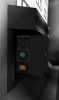
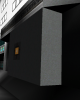
Illustration 1: The engine room door seen from two angles: 1. Logic-side, showing a wireless logic block at the bottom, and a rail docker at the top. 2. Door side, showing the button in the middle of the door which can be used to open and close it.
The engine room door is subject to getting stuck with the least little bit of lag, but one should be able to work it open and closed with a little patience through repeated button-pushing. The button should be accessible on the inside of the engine room if the door is closed, so an astronaut should never find themselves trapped.
The more exciting use of rails was to create an engine-flare mechanism that changes the main engines from a closed, moth-balled mode, to an active mode, as shown in the animated GIF below.
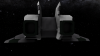


Illustration 2: Engine flare pods 1. Closed, 2. Part-way Open (in the middle of the rail), and 3. Fully open and blazing
Activating the engine-flare mechanism can be a little laggy, but the results are spectacular. I have a pair of white beacon lights on each engine pod to really give it that plasma-engine look. They look a little funky up close, because they are blocks in the middle of a plasma engine stream, but most people are not going to bother getting right up on that detail. The larger effect is more important. I'd rather be able to place a flare effect without a physical block, but I work with what I'm given.
Last edited:


Nauvran
Cake Build Server Official Button Presser
- Joined
- Jun 30, 2013
- Messages
- 2,363
- Reaction score
- 1,218



to get the gif/webm to be shown here on the forums you can simply replace webm with gif in the link.
https://i.imgur.com/e4C2RDR.webm to https://i.imgur.com/e4C2RDR.gif
https://i.imgur.com/e4C2RDR.webm to https://i.imgur.com/e4C2RDR.gif
